Join your clan on TBCounter
Six steps, about five minutes. Your clan pays for Chest Manager, so it is free for you, and no card is asked for. You only need an account, so we know which player you are.
5 minutes · 6 steps
Create your account
Go to tbcounter.com and tap "Sign in" at the top. Choose the "Create account" tab, then enter your email and pick a password.
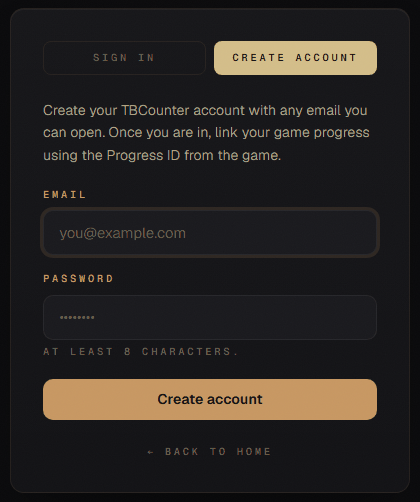 Open the sign-in page
 Type the code from your email
We email you a 6-digit code straight away. Type it in and your account is ready.
Nothing after a minute? Check your spam folder. If the address is wrong, tap "Change" and fix it, or tap "Send a new code".
Copy your Progress ID from the game
Each city you play has its own Progress ID. You need the one for your city in this clan.
Where do you play?
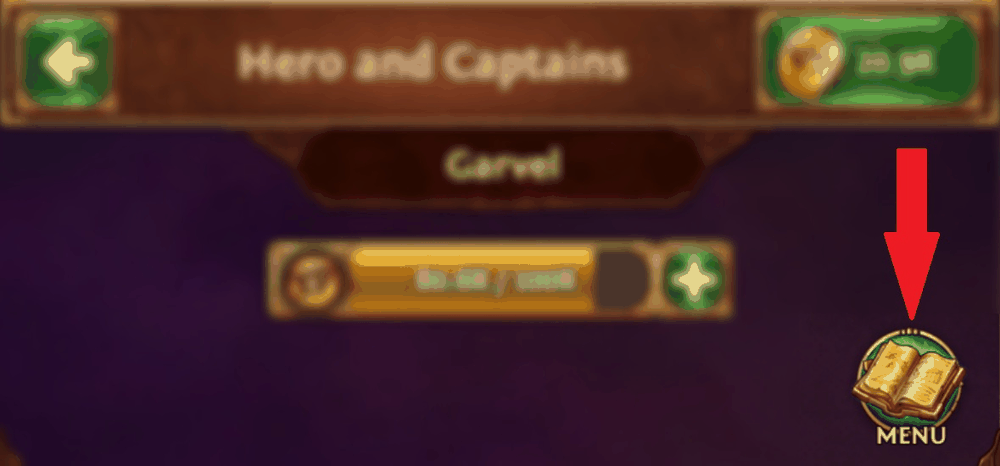
In the game, tap MENU at the bottom right.
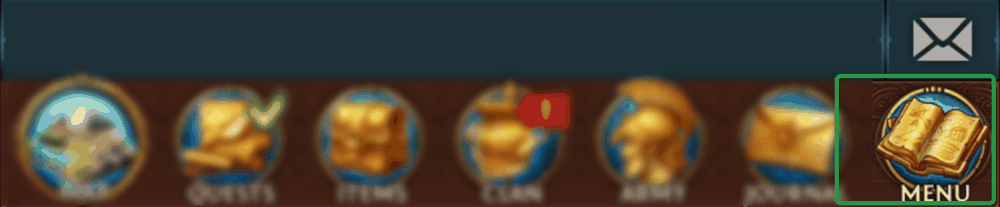
No MENU button? Tap your portrait at the top left, then MENU at the top right.
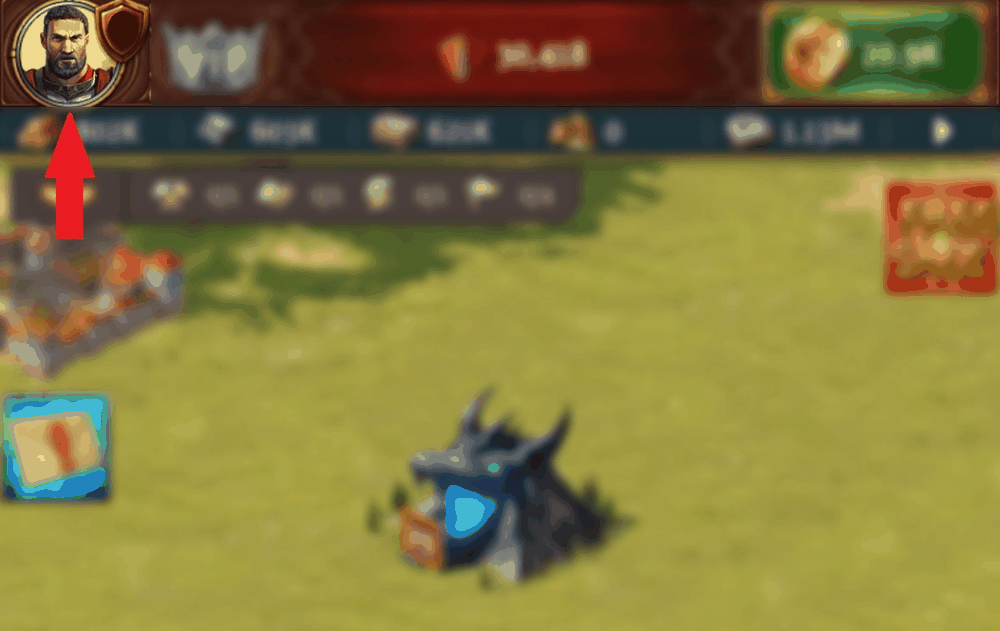

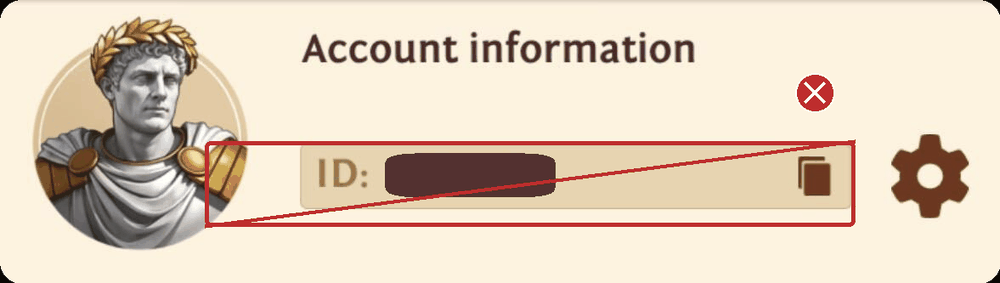
Tap "Account". The ID you see there is your Account ID. Do not copy that one.
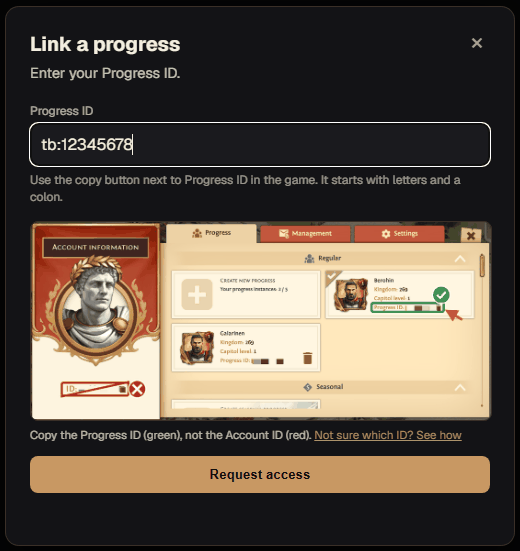
Go back and tap "Progress". Under "All progress", find your city in this clan's Kingdom and tap the copy button next to its Progress ID.
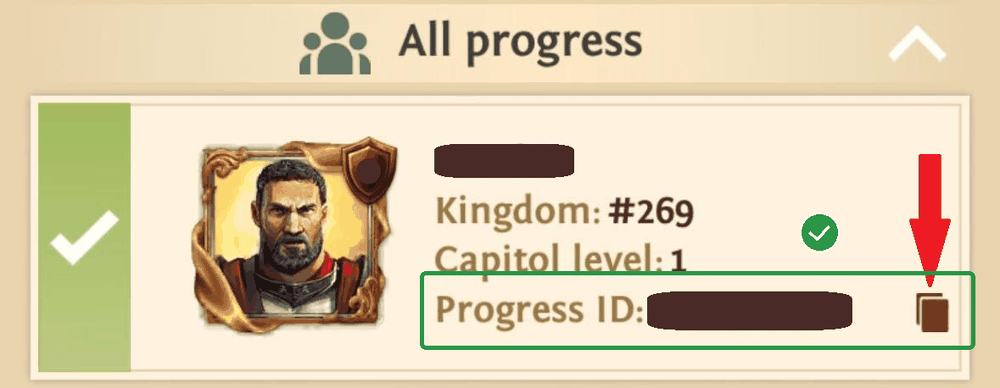
Check before you paste
Progress ID
tb:12345678
Letters and a colon in front. The copy button gives you exactly this.
Account ID
87654321
Only digits. That is your whole account, not your city.
The letters depend on how you first signed up to the game (site2:, fb2:, ios2:, android2: and others). Any of them is fine.
Most accounts hold several cities. Pick the one whose Kingdom matches this clan.
Link your city
Back on tbcounter.com, open "Game Progresses" and tap "Link a progress". Paste your Progress ID, then tap "Request access".
Joined the clan in the game only a few hours ago? We may not have your city yet. Wait a couple of hours, then try again.
Wait for a Superior
Your request goes to your clan's Superiors. As soon as one of them accepts it, you are in.
You can close the page meanwhile. The request does not expire.
Open Chest Manager
Your city now appears under "Game Progresses". Tap "Chest Manager" in the top menu. That is it, you are in.
While you are there, open "My City" and fill in your hero level, might and troop levels. It takes a minute and helps your clan plan events around who can field what.
Stuck? Ask a Superior in your clan chat.
The TBCounter app
Chest Manager belongs to your clan. The TBCounter app for Windows is yours to get: three tools in one subscription.
- Crypto: runs the crypt loop for you. Choose the crypts, send several captains at once, and it handles the dispatching and the speedups.
- StackHQ: works out your strongest stack from your own bonuses and tiers, and fills it into the game for you.
- Chest Manager in the app: your chest counts, clan totals and rankings in the same window.
Crypto automates in-game actions and may carry account risk. Read the game's terms and decide for yourself.